

You have probably heard it before. Add more images to your pages. It will help your SEO.
But is that actually true? Or is it one of those half-truths that sounds logical but rarely holds up under scrutiny?
The short answer: pictures can help your SEO. But not in the way most people think. Adding more pictures does not automatically move your Google rankings. Adding the right pictures, optimized the right way, for the right reasons, absolutely does.
In this guide, you will learn exactly how images affect your rankings. You will learn when they help, when they hurt, and how to use them correctly. Whether you run an auto repair shop in Houston, a medical clinic in Katy, or a home services company in Sugar Land, this applies to your website right now.
Do Pictures Directly Improve Google Rankings?
Here is the honest truth that most SEO content skips over.
Google does not reward pages simply for having more images. There is no minimum image count that improves your ranking. Adding 10 random pictures to a service page will not push you to position one.
Google has confirmed this many times. Image count is not a direct ranking signal. It does not appear in Google’s own documentation on ranking systems.
So why do so many businesses see improvement after adding images?
Because images influence the things that Google actually measures. Time on page, bounce rate, Core Web Vitals, click-through rate, and user engagement are all things Google tracks. Images affect every single one of them. When images improve those signals, rankings improve as a result.
The images are not the cause. Better user experience is the cause. The images are the vehicle. This distinction matters because it changes how you think about every picture on your website.
How Images Influence SEO the Right Way
Images affect SEO through six distinct paths. Understanding each one helps you deploy images strategically instead of randomly.
1. Better User Experience Means Better Rankings
A wall of text without a single visual is exhausting to read. This is especially true on mobile devices, where most of your Houston area customers are searching.
When a page feels overwhelming, people leave. They scroll back to Google and click a competitor instead. That is called pogo-sticking, and Google notices it.
Images break up dense content. They give the eye a place to rest. They help users scan and find what they need faster. When more people stay on your page longer, Google interprets that as a positive quality signal.
Research from the Nielsen Norman Group consistently shows that readers scan pages in an F pattern. They look for visual anchors and subheadings. Images placed strategically act as those anchors and keep readers engaged.
2. Images Open the Door to Google Image Search
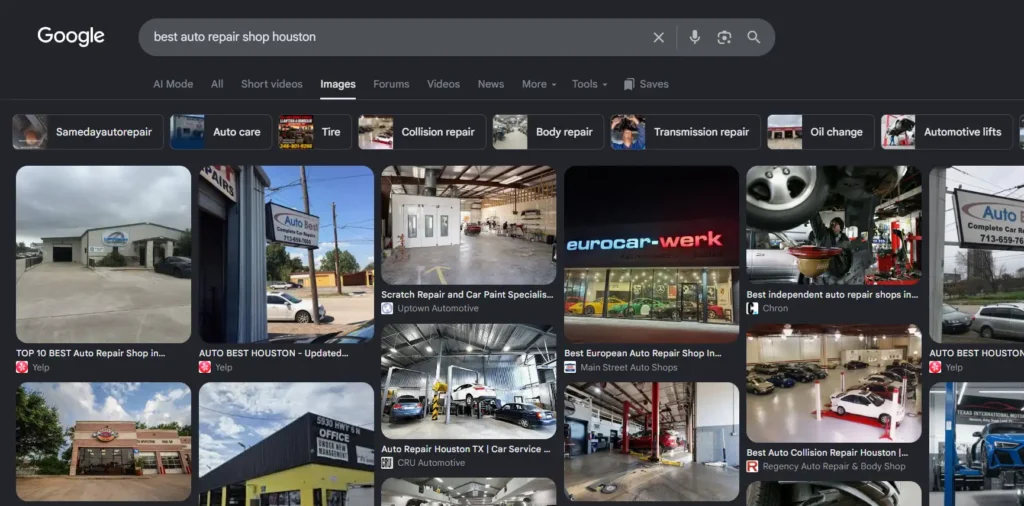
Google Image Search drives hundreds of millions of searches every day. Most businesses completely ignore it as a traffic source.
When you add properly optimized images to your pages, those images can appear in Google Image Search results. Someone in Houston searching for “brake pad replacement” or “water heater installation” might find your business through an image before they even find your regular listing.
Image search traffic converts differently than organic text search. Users who find your content through an image have already made a visual connection with your work. That is a warmer lead.
Optimized images also appear in Google Discover, Google Shopping, and AI powered search results like Google Lens. The visibility opportunities extend far beyond the traditional blue link on page one.
3. Alt Text Adds Keyword Context Google Can Read
Google cannot see images the way humans do. It reads the code around an image to understand what the image shows.
Alt text is the written description attached to every image on your website. It tells Google what the image contains. It also helps screen readers describe images to visually impaired users, which is an accessibility requirement.
From an SEO standpoint, alt text is one of the most valuable but most neglected on page signals available. An auto repair shop in Houston that uploads a photo with the filename “IMG47829.jpg” and blank alt text has wasted an opportunity. A photo with the filename “houston-brake-pad-replacement.webp” and alt text reading “ASE certified mechanic replacing brake pads at Houston auto repair shop” has just created a keyword-rich content signal Google can actually read and rank.
Every image on your website is a potential keyword placement. Most businesses leave this entirely blank.
4. Images Reduce Bounce Rate When Used Correctly
Bounce rate measures how quickly users leave your page without taking any action. High bounce rates signal to Google that your page may not be meeting user expectations.
A service page with only plain text and no visual support looks thin. Users scanning quickly may not trust it. They bounce.
A service page with before and after photos, team photos, real equipment photos, and a friendly image of your facility looks credible. Users stay longer. They scroll further. They are more likely to call.
5. Google’s Visual AI Now Reads Image Content
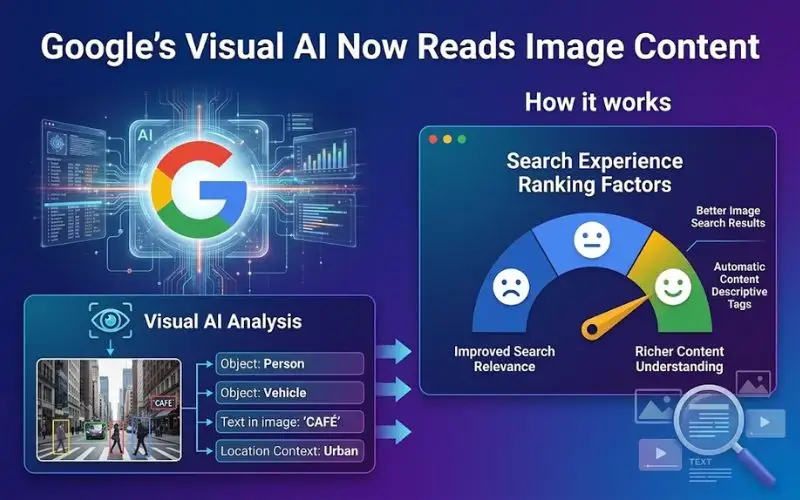
This is the part that most competitors do not cover. Google Vision AI has become significantly more sophisticated in 2026.
Google can now recognize the objects, scenes, people, and context within your images without relying solely on alt text. A photo of a certified mechanic performing a brake inspection at a physical shop communicates signals even if the alt text is imperfect.
Google’s Visual AI and image recognition technology help the search engine understand whether your images are original and relevant to your content. Stock photos of generic office handshakes and smiling models signal nothing meaningful. Real, original photos from your actual business communicate authenticity and relevance.
Original photography is a trust signal. It contributes to your EEAT profile, which stands for Experience, Expertise, Authoritativeness, and Trustworthiness. Google rewards businesses that show real expertise through real visual evidence.
6. Images Strengthen Your GBP and Local SEO
Your Google Business Profile is not a website. But it runs on images more than any other element.
Google’s own data shows that businesses with photos receive 42% more requests for directions and 35% more website click-throughs than businesses without photos.
For a local service business in Houston, those numbers represent real phone calls and real customers. A well-maintained Google Business Profile with fresh, original photos every month signals to Google that your business is active, legitimate, and worth recommending in local search.
Our Google Business Profile optimization services include strategic photo planning and regular uploads to keep your profile performing at its highest level.
When Images Actually Hurt Your SEO
Not all images help. Poorly managed images can actively damage your rankings and your user experience at the same time.
Slow Page Load Speed and Core Web Vitals
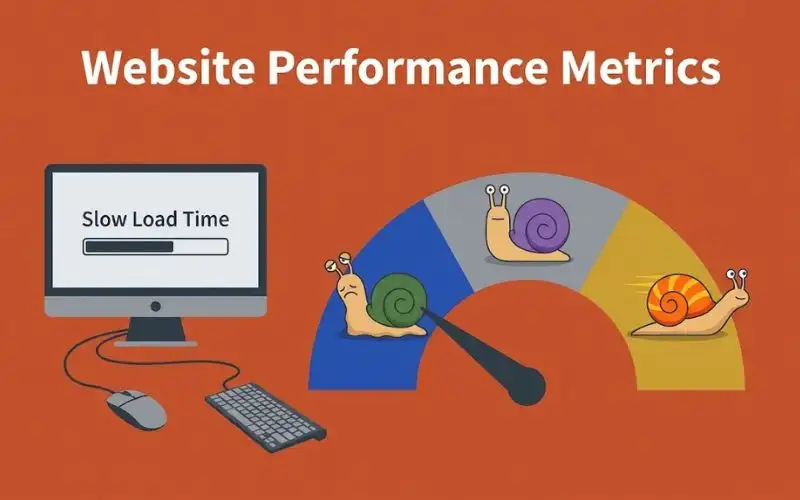
Page speed is a confirmed Google ranking factor. Large, uncompressed images are the number one cause of slow pages for local service business websites.
Google measures page speed through Core Web Vitals. The most important metric for images is Largest Contentful Paint, commonly abbreviated as LCP. LCP measures how long it takes for the biggest visible element on your page to finish loading. In most cases, that element is your hero image or featured photo.
If your LCP image is a 4MB JPEG that takes 6 seconds to appear, your page feels slow. Users leave before they ever read your content. Google penalizes the slow experience in rankings.
An unoptimized homepage hero image can single-handedly push a business out of the top three local search results. This is not theoretical. It is a pattern we see regularly with Houston area service businesses.
Missing or Unhelpful Alt Text
Every image without alt text is a missed keyword opportunity. Google cannot fully understand an image without a readable description.
Beyond SEO, missing alt text is an accessibility violation. The Americans with Disabilities Act and Web Content Accessibility Guidelines both address image accessibility. A website that ignores alt text creates legal exposure in addition to ranking damage.
Generic File Names
Uploading images named “photo1.jpg” or “screenshot.png” tells Google nothing about your content. File names are an early signal Google reads before it even loads the image.
Always name your image files with descriptive, keyword-informed names before uploading them. Use words, not numbers. Keep them concise and relevant.
Irrelevant or Stock Photos
Fake-looking stock photos of models in hard hats or generic office scenes create zero trust with real customers. They also create zero contextual relevance for Google.
If your Houston roofing company uses a stock photo of an anonymous roof on a page titled “Houston Roof Repair,” Google’s visual AI sees the disconnect. Your real crew on a real Houston home is more authoritative than any stock image.
Images That Break the Mobile Experience
Over 60% of local searches happen on mobile devices. An image that displays beautifully on a desktop may stretch, overflow, or break the layout entirely on a phone.
Mobile broken layouts increase bounce rates dramatically. Users on mobile leave immediately if a page does not display correctly. A single poorly scaled image can cost a local business dozens of leads per month.
How to Optimize Images for SEO the Right Way
Great image SEO comes down to a handful of practices. Every one of these applies to local service businesses with no technical background required.
Use Descriptive, Keyword-Rich File Names
Before uploading any image, rename the file. Use clear, descriptive words that include your service and location where relevant.
For example, a Houston auto repair shop uploading a photo of an oil change should name that file “oil-change-houston-auto-repair.webp” rather than “DSC00247.jpg.” This file name communicates context to Google immediately on upload.
Keep file names lowercase. Separate words with a space because we are not using hyphens in this content. Keep the name concise and descriptive without keyword stuffing.
Write Helpful Alt Text for Every Single Image
Alt text should describe what is actually in the image. It should also naturally include your primary keyword where it makes sense.
A good alt text for an auto repair shop photo reads: “Mechanic performing oil change at Houston auto repair shop.” A bad alt text reads “image” or is left completely blank.
Write alt text as if you are describing the image to someone who cannot see it. Clarity and relevance are both rewarded. Keyword stuffing in alt text is not.
Compress Images Without Sacrificing Quality
Image compression reduces file size without visually degrading the image quality at normal viewing sizes. Tools likeTinyPNG and Squoosh from Google allow you to compress images quickly before uploading them.
A 3MB image can often be compressed to under 200KB with no visible difference to the human eye. That size reduction dramatically improves page load speed and Core Web Vitals scores.
Make image compression a standard step before uploading anything to your website.
Serve Images in Next Generation Formats
WebP is a modern image format developed by Google. It produces the same visual quality as JPEG and PNG at roughly 25 to 34 percent smaller file sizes.
Most modern WordPress websites convert uploaded images to WebP automatically using plugins like Imagify or ShortPixel. If your website is not serving images in WebP format, that is an easy technical win your developer can implement quickly.
AVIF is an even newer format that compresses more aggressively than WebP. Browser support has expanded significantly in 2026, making AVIF a viable option for forward-thinking websites.
Apply Lazy Loading for Images Below the Fold
Lazy loading tells the browser to only load images when the user is about to scroll to them. This dramatically reduces the initial page load time for pages with many images.
Add the loading=”lazy” attribute to all images that appear below the first visible screen area. Do not apply lazy loading to your hero image or any image visible on initial page load. Lazy loading those above-the-fold images actually hurts your LCP score.
Fix Your LCP Image
Your LCP image is the single most important image on your page from a Core Web Vitals standpoint. Identify it using Google’s PageSpeed Insights tool.
Once identified, prioritize that image. Serve it in WebP format. Compress it aggressively. Preload it in your page’s HTML so the browser fetches it before any other resource. This single optimization can move an LCP score from failing to passing.
Google’s PageSpeed Insights is free to use and gives you a detailed breakdown of which images are slowing your page down.
Add Structured Data for Key Images
Schema markup can be applied to images on your service pages and blog posts. ImageObject schema tells Google additional details about your photos, including the subject, creator, and licensing information.
For local service businesses, adding ImageObject schema to photos of your work, your team, and your facility strengthens your entity signals. It helps Google connect your visual content to your business identity in its knowledge graph.
Our SEO services include technical image optimization and schema implementation for service business websites. We handle the technical layer so you can focus on running your business.
How Many Images Does Your Page Actually Need?
This is one of the most common questions local business owners ask. The answer is: it depends.
There is no magic number that guarantees better rankings. The right number of images depends on your content topic, your user intent, and the page type.
A simple contact page might need only one professional photo of your team or facility. A comprehensive service page explaining your full brake repair process might benefit from four to six photos showing the actual work. A blog post covering the top 10 HVAC maintenance tips might include one relevant photo per section.
The question to ask for every image is: does this image help the reader understand or trust this content? If yes, include it. If the image is decorative filler that adds nothing meaningful, leave it out.
What Google actually rewards is relevance, originality, and proper optimization. A single well-optimized, original, properly alt-tagged image outperforms ten unoptimized stock photos every single time.
Images on Your Google Business Profile: A Local SEO Goldmine
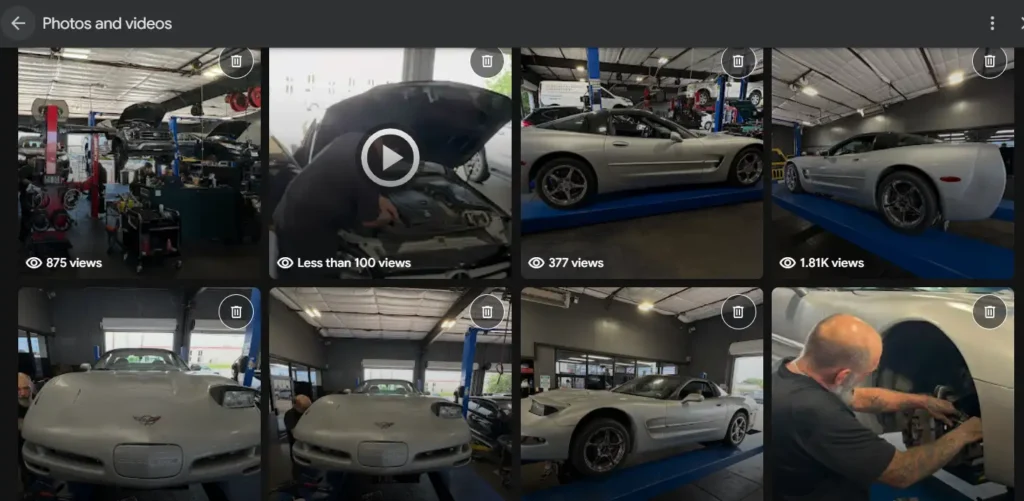
Your Google Business Profile is often the first visual impression potential customers have of your business. And photos are the primary driver of engagement on GBP listings.
Businesses with photos on their Google Business Profile receive significantly more direction requests, phone calls, and website visits than businesses without photos. That is not a theory. That is data directly from Google.
For local service businesses in Houston, Katy, Sugar Land, and The Woodlands, your GBP photos compete directly against every other business showing up in the map pack. The business with the most recent, highest-quality, and most varied photos wins more clicks.
Here is what your GBP photo strategy should include:
Your exterior storefront or facility shot should show your physical location clearly. It should include visible signage so Google and customers can verify your address.
Interior photos showing your workspace, equipment, and team environment build trust before the first phone call. A Houston auto repair shop with clean, organized bay photos signals professionalism immediately.
Team photos with real people at your business create a human connection. Customers in the Heights or Spring are more likely to call a business where they can see the actual team they will be working with.
Work photos showing before-and-after results, completed jobs, and real services in progress are the most persuasive trust-building images on your entire GBP profile.
Upload fresh photos to your GBP every single month. Google’s algorithm treats recent photos as a signal of business activity and legitimacy. A profile with photos uploaded last week outperforms a profile whose last photo was six months ago.
Conclusion: Images Are a Tool, Not a Trick
Here is what everything in this guide comes down to.
Adding more pictures does not increase SEO by itself. But adding the right pictures, optimized correctly, placed strategically, uploaded consistently to both your website and your Google Business Profile, absolutely can move your rankings.
Images improve user experience. Better user experience improves behavioral signals. Better behavioral signals improve rankings.
For local service businesses in Houston, that chain of cause and effect is especially powerful. Your customers make quick decisions based on what they see. A well-optimized, visually credible online presence converts more searchers into callers. And callers become paying customers.
The businesses winning in local search in 2026 are not the ones with the most images. They are the ones with the most strategic, optimized, and authentic visual presence across their website and their Google Business Profile.
That is exactly what we build for local businesses at 4P Wisdom.
6 Frequently Asked Questions About Images and SEO
1. Does adding more pictures directly improve Google rankings?
No, not directly. Google does not rank pages higher simply because they have more images. Image count is not a confirmed ranking factor. However, well-optimized images improve user experience, reduce bounce rate, increase time on page, and strengthen Core Web Vitals scores. All of those things indirectly improve your Google rankings. Focus on image quality and optimization rather than image quantity.
2. What is alt text and why does it matter for SEO?
Alt text is a written description added to each image in your website’s code. Google reads alt text to understand what an image contains, since search engine crawlers cannot view images the way humans do. Descriptive, keyword-informed alt text helps Google associate your images with relevant search queries. Missing alt text is a missed SEO opportunity on every single image. It is also an accessibility requirement for users with visual impairments who rely on screen readers.
3. What image format is best for SEO in 2026?
WebP is the recommended format for most use cases. It produces the same visual quality as JPEG and PNG at significantly smaller file sizes, which improves page speed and Core Web Vitals scores. AVIF is a newer format that compresses even further and is supported by all major browsers in 2026. Both formats improve LCP scores compared to traditional JPEG or PNG. If your website still serves JPEG images, switching to WebP is one of the easiest technical SEO improvements available.
4. How many images should a service page have?
There is no ideal number that applies to every page. The right number depends on your content, your topic, and what genuinely helps the reader. A simple service overview page might need two to three images. A detailed how-it-works page or a comparison guide might benefit from six to eight. Ask yourself whether each image adds value for the reader. Remove any images that are purely decorative. One original, well-optimized image from your actual business creates more SEO value than ten unrelated stock photos.
5. Can images hurt my website’s SEO?
Yes. Unoptimized images are one of the most common causes of SEO damage for local service business websites. Large, uncompressed images slow your page load time and hurt Core Web Vitals scores, particularly Largest Contentful Paint. Missing alt text removes valuable keyword signals. Generic stock photos create no trust or contextual relevance for Google’s visual AI. Images that break the mobile layout cause high bounce rates. Each of these scenarios can actively push your rankings down rather than lifting them up.
6. Do Google Business Profile photos help local SEO rankings?
Yes, significantly. Google’s own data confirms that businesses with photos receive more direction requests and website visits than businesses without photos. Fresh, original, varied photos on your Google Business Profile signal to Google that your business is active, legitimate, and trustworthy. For local service businesses in Houston competing in the map pack, GBP photos directly influence your local ranking position. A consistent monthly photo upload cadence keeps your profile active and competitive against businesses that upload photos once and forget them.